MAP_FIELDS
Mapping of Source to Target Fields
The Transformation offers the greatest flexibility when copying data. For each field of the Source, it can be defined to which field of the Target the values should be copied.
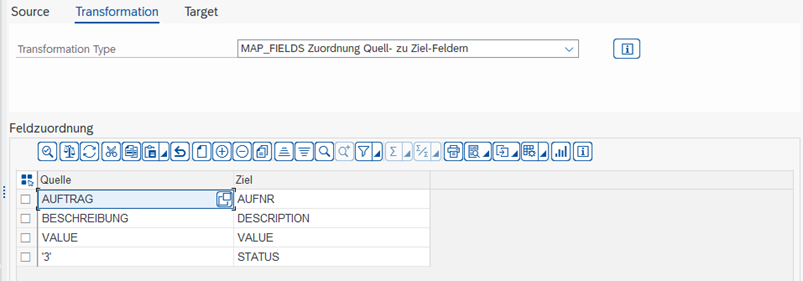
| Source | Field in the Source Structure By using single quotation marks 'Example', constants can also be assigned to a Target field. |
|---|---|
| Target | Field in the Target structure to which the Source field is to be assigned |
For the Source column, there are 2 special functions:
- Fixed Value: If the text is in single quotation marks, for example '1', the entry is interpreted as a value instead of a field.
- Offset: If the field name is followed by a "+", for example FIELDNAME+6(10), this is interpreted as offset and length: from "KS10000000001000", the first 6 positions are removed and the remaining 10 positions are used, in the example "0000001000". FIELDNAME+6 uses everything after the 6th character, FIELDNAME(4) uses the first 4 characters.
Important It is technically not possible to copy texts into fields with the data type Number.