AGGREGATE
Aggregating Table Data
The transformation aggregates based on key fields to be defined. All rows with the same key combination are consolidated into one row. Fields with numerical values can be summed. All other fields are either initialized, meaning set to blank or 0, or a value is copied.
Important The copy function is only useful if the field values are unique in relation to the key fields. Otherwise, typically the last value for this key is copied to the Target.
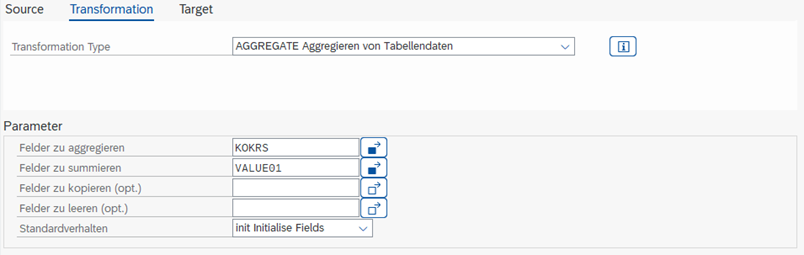
| Fields to Aggregate | Selection of key fields by which the data should be aggregated |
|---|---|
| Fields to Sum | Selection of fields to be summed; this is only possible for the following data types: • INT4 - Integer (I) • FLTP - Binary Floating Point Numbers (F) • DEC - Packed Numbers (P) |
| Fields to Copy | Fields to be copied. The last of the aggregated entries is transferred to the target. This can be useful if the texts for a key should not also be used as a key, e.g., Cost Center Description. Unless ALL rows within the used keys are identical, this is of limited use, as an arbitrary value within the keys will then be used. |
| Fields to Clear | The field is cleared during aggregation. If a field has several different values within the key, this field is no longer unique and should therefore be removed. |
| Standard Behavior | Setting for how the remaining fields should be handled: Copy - Copy fields Init - Initialize/Clear fields |