All
ACOSP - ACOSP Values

| Parameter | Description |
|---|---|
| Test Run | Activate to only test the write operation |
ACOSS - ACOSS Values

| Parameter | Description |
|---|---|
| Test Run | Activate to only test the write operation |
AC_KF - Actual KF
This Target posts Documents with statistical key figures according to SAP Transaction KB31N (Business Transaction RKS).
Technical Note: Called BAPI: BAPI_ACC_STAT_KEY_FIG_POST
A maximum of 999 posting items can be generated per posting document. The Section field determines how many posting items are summarized in one Document. Example: 100 statistical key figures are to be posted. Section "1" means that a separate posting document is generated for each key figure.
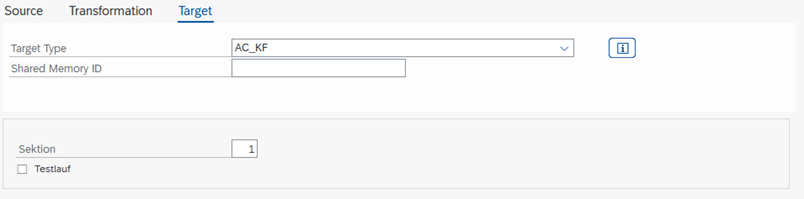
| Parameter | Description |
|---|---|
| Section | Controls how many lines are summarized in a posting |
AFAGL - AFAGLFLEXT Values

| Parameter | Description |
|---|---|
| Test Run | Activate to only test the write operation |
BL_OL - Balance Sheet Old Ledger

| Parameter | Description |
|---|---|
| Test Run | Activate to only test the write operation |
COPA - Profitability Analysis Values
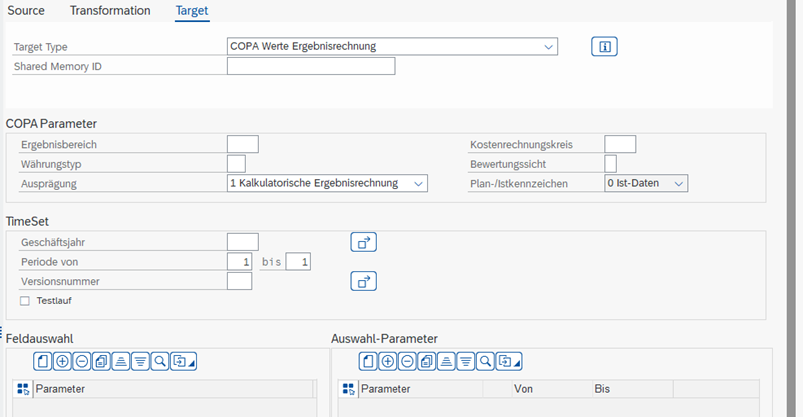
CO_AT Activity Type Planning Values (TBD)

| Parameter | Description |
|---|---|
| Test Run | Activate to only test the write operation |
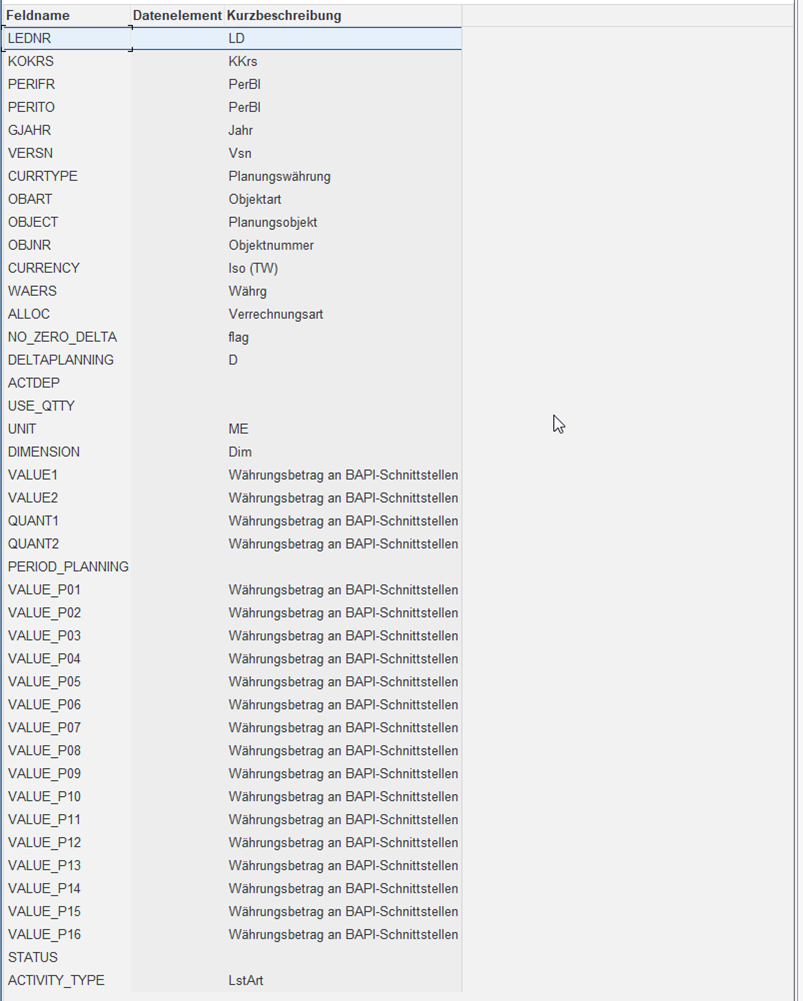
CO_KF Statistical Key Figures Values (TBD)

| Parameter | Description |
|---|---|
| Test Run | Activate to only test the write operation |
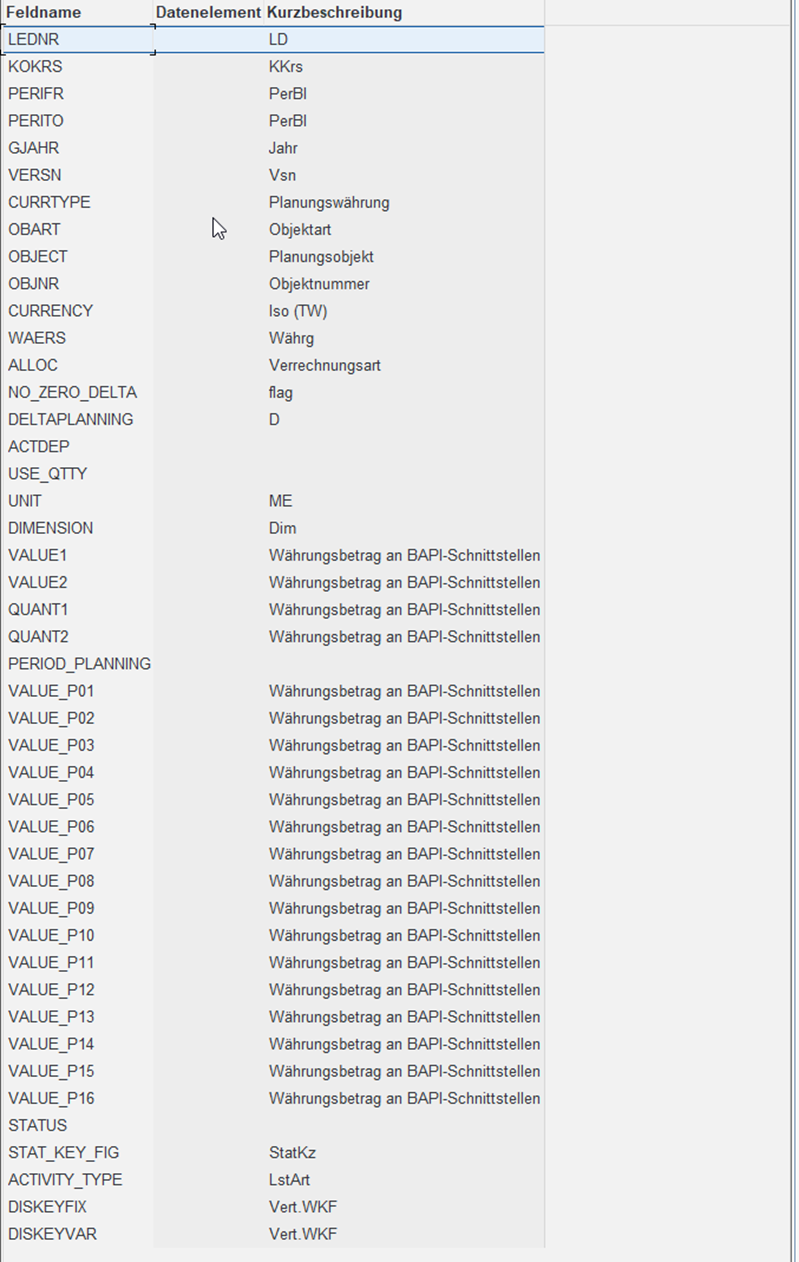
CO_PC Primary Costs Values

| Parameter | Description |
|---|---|
| Test Run | Activate to only test the write operation |
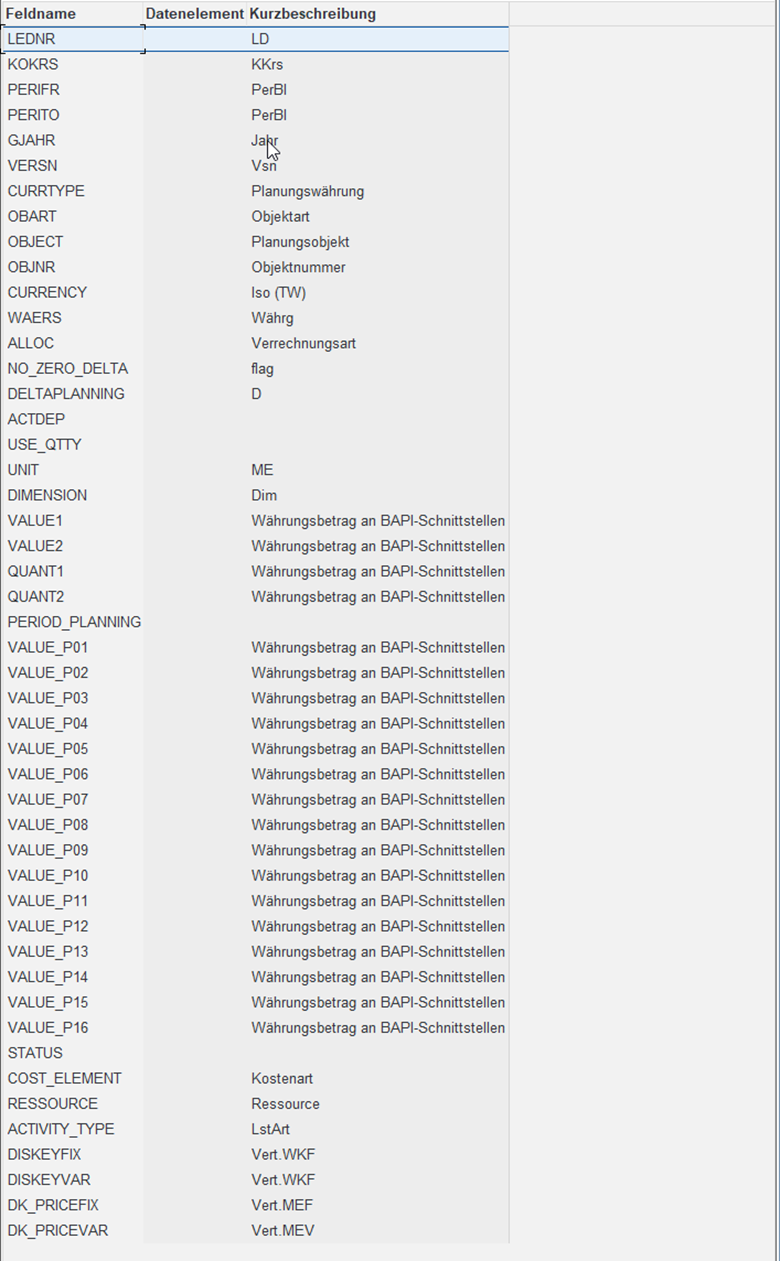
Object Selection (leave blank to use entries from Source/Mapping):
| Parameter | Description |
|---|---|
| Controlling Area | Controlling Area to be used |
| Object Type | Selection of the object type to be posted: BP - Business Process KL - Cost Center/Activity Type KS - Cost Center KX - Allevo Object OR - Order PC - Profit Center PR - Project/WBS Element |
| Cost Center | Which Cost Center should be posted |
| Group Name | [Necessary?] |
| Cost Element | Which Cost Element should be posted |
| Test Run | Should only a test run be performed? |
TimeSet (leave blank to use entries from Source/Mapping):
| Parameter | Description |
|---|---|
| Fiscal Year | Selection of the Fiscal Year to be posted |
| Version | Selection of the Version to be posted |
| Value Type | SAP Value Type of the data to be posted, for example: 1 - Plan 4 - Actual |
| Transaction | SAP Transaction to be posted, e.g., RKP1 |
| Debit/Credit Ind. | Debit/Credit Indicator to be posted: S - Debit posting or Receiver Debit H - Credit posting or Sender Credit A - Special: Sender Credit from Settlement L - Special: Sender Credit from Delivery to Stock |
CO_SC Secondary Costs Values (TBD)

| Parameter | Description |
|---|---|
| Test Run | Activate to only test the write operation |
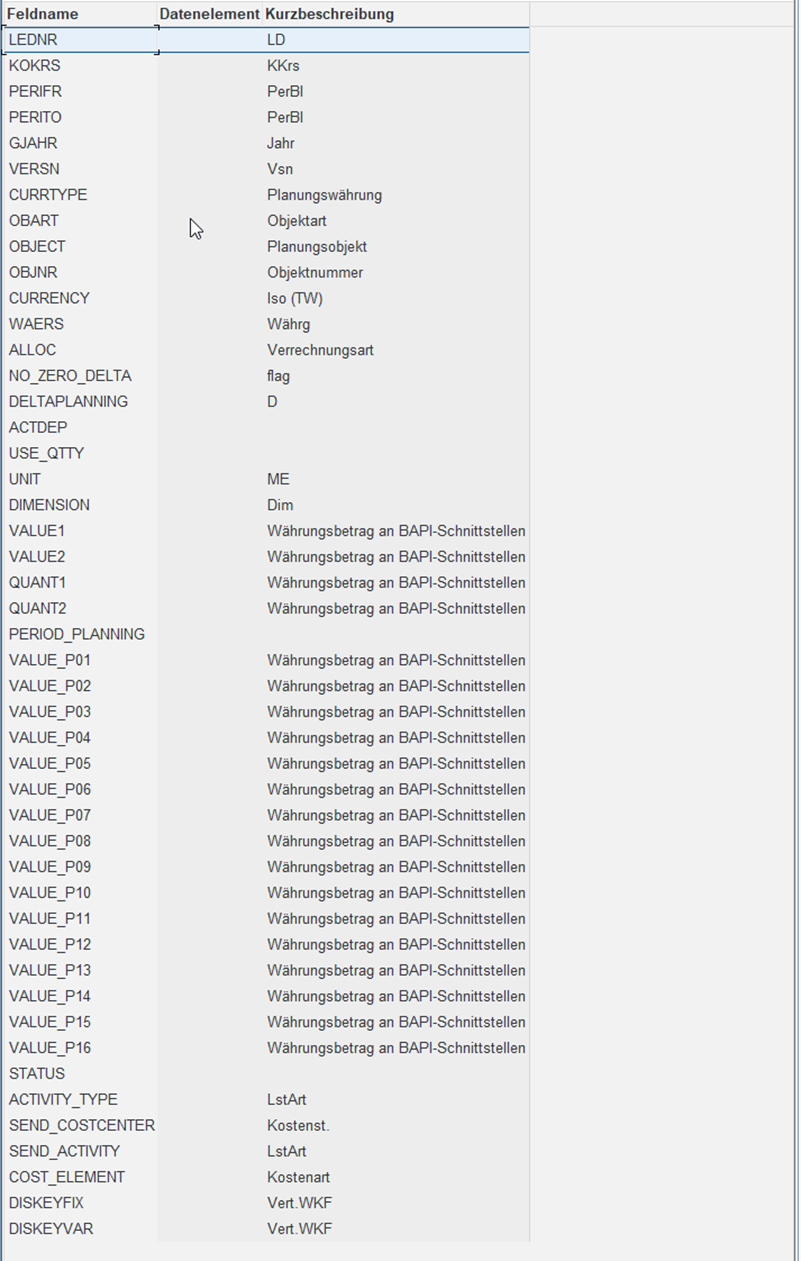
EXCEL - Excel File
With this Target Type, simple Excel files can be saved.
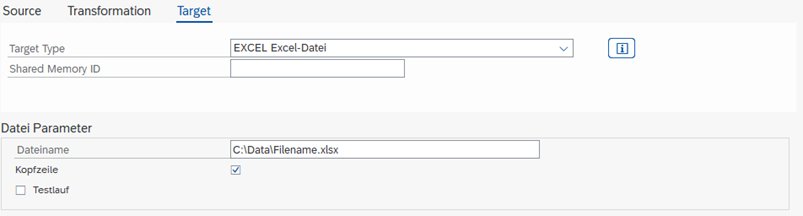
| Parameter | Description |
|---|---|
| File Name | File to be written |
| Header Row | Activate if a header row with the field names should be written to the text file. |
| Test Run | Activate to only test the write operation |
FILE - Text File
With this Target Type, text and CSV files can be written. It can be configured which delimiter and whether a header row should be generated.
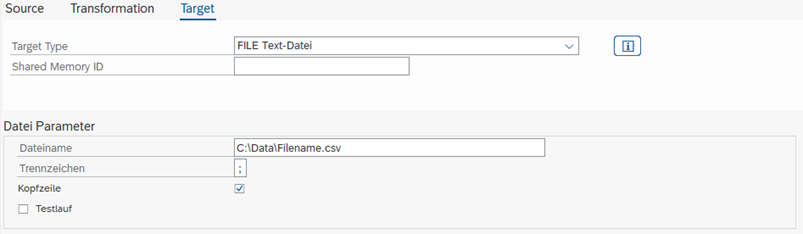
| Parameter | Description |
|---|---|
| File Name | File to be written |
| Delimiter | Column delimiter, mostly semicolon ";" |
| Header Row | Activate if a header row with the field names should be written to the text file. |
| Test Run | Activate to only test the write operation. |
MD_KA - Cost Element Master Data
With this Source Type, new Cost Elements can be created and existing ones changed. When creating a Cost Element, all provided fields are filled; other fields remain blank.

| Parameter | Description |
|---|---|
| Controlling Area | Controlling Area in which the Cost Element is created. |
MD_KF - Statistical Key Figure Master Data
With this Target Type, new Statistical Key Figures can be created and existing ones changed. When creating a Statistical Key Figure, all provided fields are filled; other fields remain blank.

MD_KL - Cost Center/Activity Type Master Data
With this Source Type, new Cost Center/Activity Type combinations can be created and existing ones changed. When creating a Cost Center/Activity Type combination, all provided fields are filled; other fields remain blank.

MD_KS - Cost Center Master Data
With this Source Type, new Cost Centers can be created and existing ones changed. When creating a Cost Center, all provided fields are filled; other fields remain blank.

MD_MA Material Master Data (TBD)
MD_OR - Order Master Data
With this Source Type, new Internal Orders can be created and existing ones changed. When creating an Internal Order, all provided fields are filled; other fields remain blank.

Note: If automatic number assignment is configured for the Order Type, a new number is automatically assigned.
MD_PC - Profit Center Master Data
With this Source Type, new Profit Centers can be created and existing ones changed. When creating a Profit Center, all provided fields are filled; other fields remain blank.
PC_AC - Profit Center GL Account Values // Balance Sheet and P&L

| Parameter | Description |
|---|---|
| Test Run | Activate to only test the write operation |
PC_FA - Profit Center Account & Partner & Functional Area Values

| Parameter | Description |
|---|---|
| Test Run | Activate to only test the write operation |
PC_GL - Profit Center New General Ledger Values

| Parameter | Description |
|---|---|
| Test Run | Activate to only test the write operation |
PC_PP - Profit Center Account & Partner Profit Center Values

| Parameter | Description |
|---|---|
| Test Run | Activate to only test the write operation |
SAT - Satellite
Satellites have a key aligned with CO Planning with which data is stored: Controlling Area, Object Type (SetClass), Object, Plan Year and Version. Additionally, there is the row, which is automatically assigned upon saving. For the data to be saved, all key values must be filled!
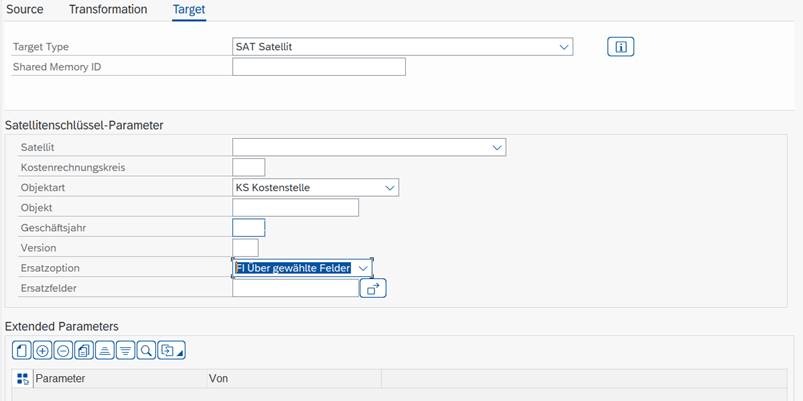
| Parameter | Description |
|---|---|
| Satellite Key Parameters | Satellite and key with which the data should be written to the Satellites. Leave blank to use the values passed from the transformation. |
| Replacement Option | AD only append - new data is appended to the end of existing data; new entries' rows are renumbered. FI via selected fields - Based on the defined fields, all data whose values in these fields are identical to those of the new values will be deleted. KY via key - Delete all existing data with the same key before writing. |
| Replacement Fields | Only visible if replacement option "FI" was selected. |
| Advanced Parameters | This allows fields to be changed, diverging from the data from the transformation, in addition to keys. |
SFILE - Text File on the Server
Similar to Target Type SFILE, but the file is saved on the SAP server.
SUN - Sun Table
In contrast to Satellites, SunTables do not have a fixed key and can therefore be used very flexibly.
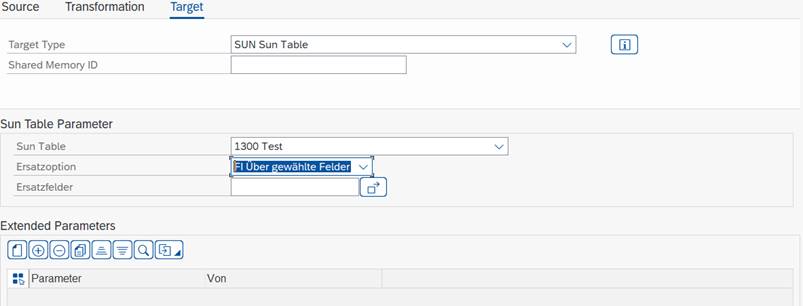
| Parameter | Description |
|---|---|
| Sun Table Parameter | SunTable to which the data should be written |
| Replacement Option | FI via selected fields - Based on the fields entered in "Replacement Fields", all data whose values in these fields are identical to those of the new values will be deleted. KY via key - Delete all existing data with the same key before writing. |
| Replacement Fields | Only visible if replacement option "FI" was selected. |
| Advanced Parameters | This allows specific fields to be changed, diverging from the data from the transformation. |
SXLSX - Excel XLSX File on the Server
Similar to Target Type XLSX, but the file is saved on the SAP server.
UNI - Universal Tables
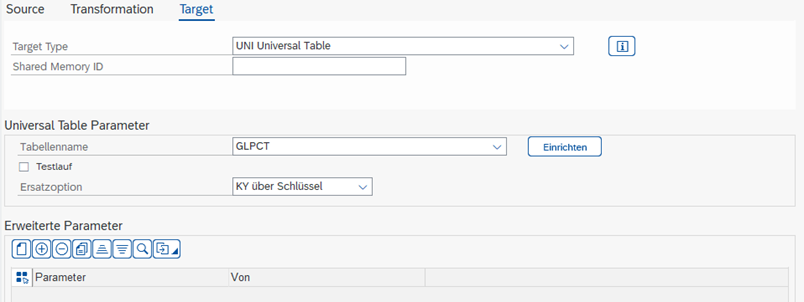
| Parameter | Description |
|---|---|
| Table Name | Universal Table to which the data should be written |
| Advanced Parameters | Via the selected fields, the data can be set as fixed values |
XLSX - Excel File
With this Target Type, simple Excel files can be saved.
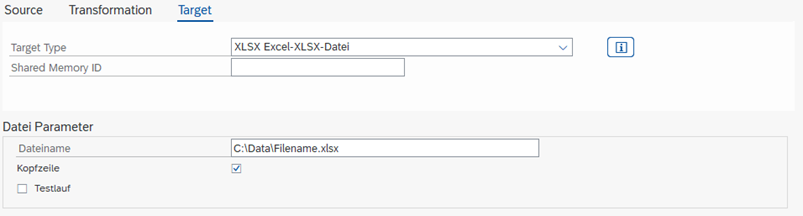
| Parameter | Description |
|---|---|
| File Name | File to be written |
| Header Row | Activate if a header row with the field names should be written to the text file. |
| Test Run | Activate to only test the write operation |
For XLSX files to be loaded on old systems with EHP0, the global fixed value ORBIT_XLSX_ZIP_CLASS must be set and the following value entered: /ALLEVO/CL_ABAP_ZIP

(As of November 2022, this fixed value can only be entered with /ALLEVO/TAB.)