SAT
Satellite
Satellites have a key aligned with CO planning, with which the data is stored: Controlling Area, Object type (SetClass), Object, Planning Year, and Version. Additionally, there is the Row, which is automatically assigned during saving. For the data to be saved, all key values must be filled!
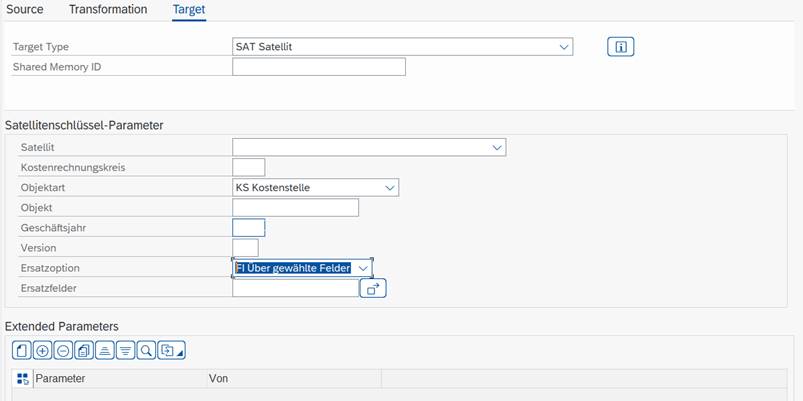
| Satellite Key Parameters | Satellite and key with which the data should be written to the satellites. Leave empty to use the values passed from the Transformation. |
|---|---|
| Replacement Option | AD only add: the new data is appended to the end of the existing data, and the rows of the new entries are renumbered. FI via selected fields: Based on the defined fields, all data whose values in these fields are identical to those of the new values will be deleted. Kyra Stream via Key: Delete all existing data with the same key before writing. |
| Replacement Fields | Only visible if Replacement Option "FI" was selected. |
| Advanced Parameters | This allows fields to be changed, in addition to keys, differently from the data from the Transformation. |